Context Lines
/01Draw regions to define exactly what the AI can see. Everything outside stays isolated — context transfers only when you say so.

Plan on an infinite canvas, let agents do the work, and review every change — all on one surface you can actually see.
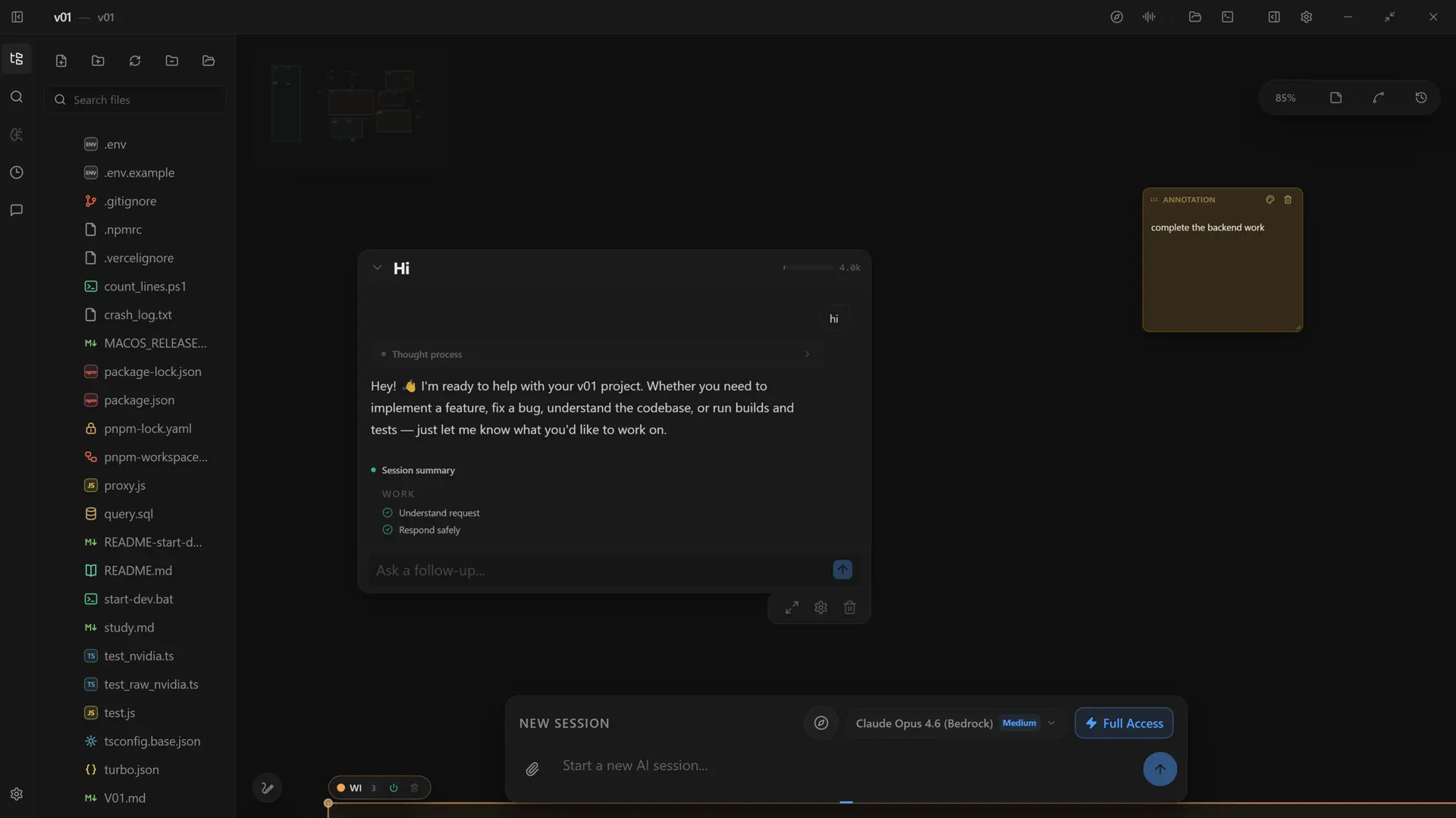
Chat windows forget. Files hide the big picture. Agents act where you can't see them. V01 lays your whole project out in space — every plan, prompt and change in one place you can point at.
Four core capabilities on one infinite surface. Draw boundaries, plan in phases, map the architecture, and review every change.
Draw regions to define exactly what the AI can see. Everything outside stays isolated — context transfers only when you say so.

An AI Project Director builds a phased Master Plan — Goal → Discovery → Blueprint — before a single line is written.

Your project rendered as a living map. Zoom out for architecture, zoom in for detail.

Every modification is a reviewable diff. Terminal commands need explicit approval — no silent installs, no surprises.
The AI Director studies your goal, asks the questions a senior engineer would ask, and lays a visual Master Plan on your canvas — phased objectives, scoped subagents and reviewable gates.

Talk through a standup or a design review. V01 transcribes it, pulls out the real decisions, and turns each one into a ready-to-run session card — no more lost meeting notes.


V01 keeps a living graph of your project — concepts, decisions, plans and sessions — updated as you work. So the AI always starts from what your workspace already knows.
Five phases, zero context switching — and autonomous execution that stays strictly under your control.
Describe the goal in plain English. The AI Director scopes the workspace, asks sharp clarifying questions, and drafts a phased Master Plan with dependencies.
Draw Context Lines across the canvas. Group files, terminals and memory so the AI works only inside the context you choose.
Agents write code, run sandboxed commands and test suites — live progress across parallel, isolated worktrees.
Every change lands as an interactive diff. Approve, reject or ask for line-level revisions — a human stays in the loop.
Branch good sessions into new cards, keep architectural memory across tasks, and approve commands on the go from the Companion app.
Watch sessions run, approve terminal commands, check progress and move around your canvas — all from your phone.


A faithful replica of the V01 desktop app, running in your browser. Click files, switch tabs, and send a prompt.
Arrange sessions spatially. Draw context boundaries. See your project as a map of connected work, not a list of files.
The AI plans, writes code, runs commands and self-corrects. You approve each step. Full autonomy, full control.
Context Lines, token-aware scanning and spatial isolation give the AI the right context — and nothing more.
The autonomous AI workspace for your desktop. Free for individual developers.